
Think about how often you jump between screens on your phone. You open an email, tap an attachment, check a link, then try to remember what you were reading in the first place. Everything works, but it feels crowded. A single screen is constantly being asked to show too much at once. The more powerful portable devices become, the more this limitation starts to show.
This everyday frustration is at the heart of US10620663B2, a patent that is currently involved in active litigation between Entelekon LLC and OnePlus Technology (Shenzhen) Co., Ltd. The case draws attention to a simple but important question: how can portable devices show more information without becoming bulky or harder to use?
To see how this idea developed, we used the Global Patent Search (GPS) tool to explore earlier patents that experimented with multiple displays, hidden screens, and smarter ways to manage on-screen interaction.
What US10620663B2 Is Trying to Fix
Most attempts at adding a second screen to a portable device fail for a simple reason. The second display is always there, even when you do not need it. That adds weight, size, and complexity for something that might only be useful part of the time.
US10620663B2 takes a more flexible approach.
Instead of treating both displays as permanent equals, the patent treats one screen as optional. The second display stays hidden and protected when it is not in use. When the user wants more information, it physically moves into place and sits next to the main screen, forming a larger workspace only when needed.
The system also decides what to show automatically. The second display is not just a blank extension. It launches a related application or view based on what the user is doing on the primary screen. Both screens remain active at the same time and can even update each other.
Once the task is done, the second display can be stowed again, returning the device to its compact form without changing how the main screen behaves.
Key Features of the Multi-Display System:
At its core, this patent focuses on making a second screen useful only when it is actually needed.
- The device has a primary display that works like a standard portable screen for everyday use.
- A secondary display stays hidden and protected when not needed, keeping the device compact.
- The second display can be folded, slid, or rotated into place next to the main display.
- When deployed, both displays remain visible and usable at the same time.
- Each display can run its own application or show a different view of related information.
- Interactions on one screen can automatically trigger related content on the other screen.
Together, these features allow a portable device to offer more information and multitasking without permanently increasing size or complexity.
Many of these ideas earlier resurfaced in commercial form through foldable devices. The long and often disputed history behind foldable phones shows how concepts like dual screens, hinges, and expandable displays were explored decades before they reached the market.
Looking at the Ideas That Came Before It
Long before US10620663B2 was proposed, inventors were already exploring ways to bring more screen space to portable devices without making them bulky or hard to use.
Some focused on mechanical layouts, others on how multiple displays could be arranged or viewed at the same time.
To understand how these ideas evolved, we used the Global Patent Search tool to identify earlier patents that tackled similar challenges. These patents highlight different approaches to multi-display design and help place US10620663B2 within the broader progression of portable device innovation.
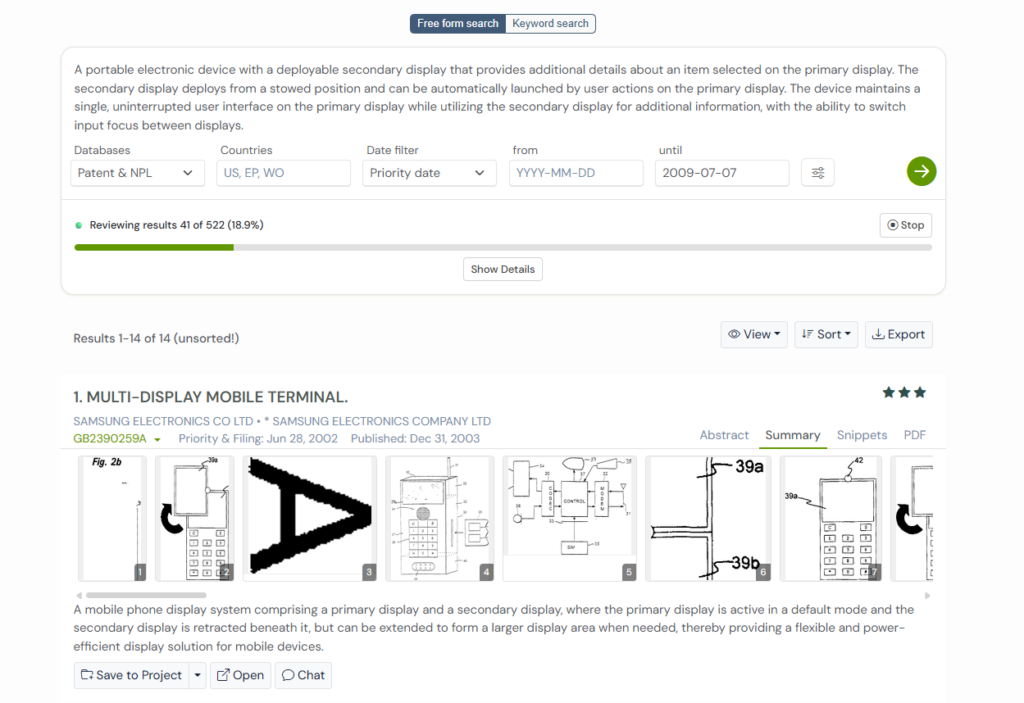
Let’s explore some of them.
1. GB2390259A
As mobile phones started handling more than one task at a time, a new problem emerged. A single screen was often not enough, especially during situations like managing two calls at once or switching between call information and other data. Yet keeping two screens active all the time made phones bulkier and drained more power.
GB2390259A, filed by Samsung in 2002, approaches this by giving the device two displays, but only powering one by default. In its normal state, the main screen is visible and active, while the second screen stays hidden behind it. When needed, the device mechanically deploys the second display by rotating or sliding it into place so both screens sit side by side.
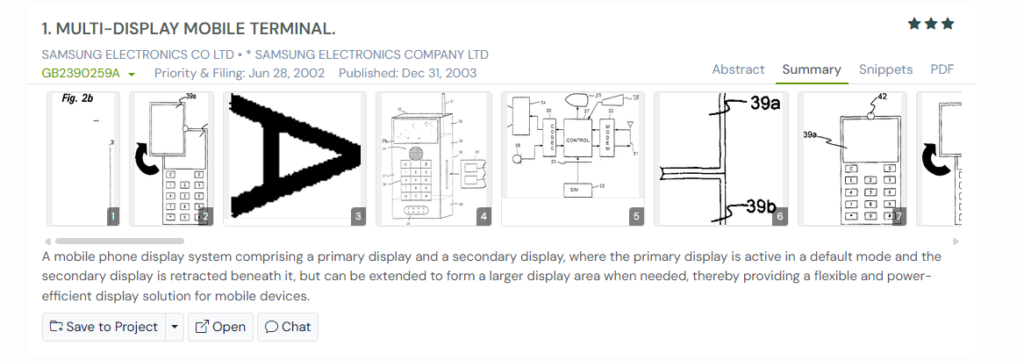
Once deployed, the second screen can show separate information, such as details from another call, or both screens can combine to form a larger display area. When the extra space is no longer needed, the device returns to single-screen operation.
The Bigger Picture
This patent shows an early move toward optional, deployable displays. It focuses strongly on mechanical design and power efficiency, laying groundwork for later systems that would more tightly integrate screen deployment with application behavior, like US10620663B2.
Similar thinking appears in the evolution of 3D viewing systems. Here patents like US9699444B2 focus on synchronizing visual elements in real time so that motion, depth, and brightness stay aligned instead of competing for attention.
2. US2007008239A1
As mobile devices grew smarter, another challenge started to surface. Information often appeared at the wrong time, on the wrong screen. Notifications showed up on a small outer display, but taking action required opening the device and starting over on the main screen. The two displays existed, but they rarely worked together.
US2007008239A1, filed by Microsoft in 2005, focuses on fixing that disconnect.
Instead of treating the primary and secondary displays as separate worlds, this patent links them through synchronized interaction. When something happens, like an incoming call or a calendar reminder, a signal appears on the secondary display first. When the user opens the device or switches to the primary screen, the main display automatically shows the related menus and details, without requiring extra steps.
The same flow works in reverse. Actions taken on the primary screen can surface indicators or controls on the secondary display. Both screens stay aligned, showing related information at different levels of detail.
The Bigger Picture
This patent shifts the focus from hardware design to user experience. It shows an early attempt to make multiple displays feel connected through software logic, thus paving the way for systems that combine physical screen behavior with tightly coordinated application workflows.
3. US2004229662A1
As mobile devices added richer content like email, web pages, and media, a new tension appeared. Users wanted a bigger screen, but only some of the time. Carrying a permanently large display made the device harder to handle, while a small screen felt limiting for more detailed tasks.
US2004229662A1, filed in 2003 by Siemens, tackles this by letting the display itself change size.
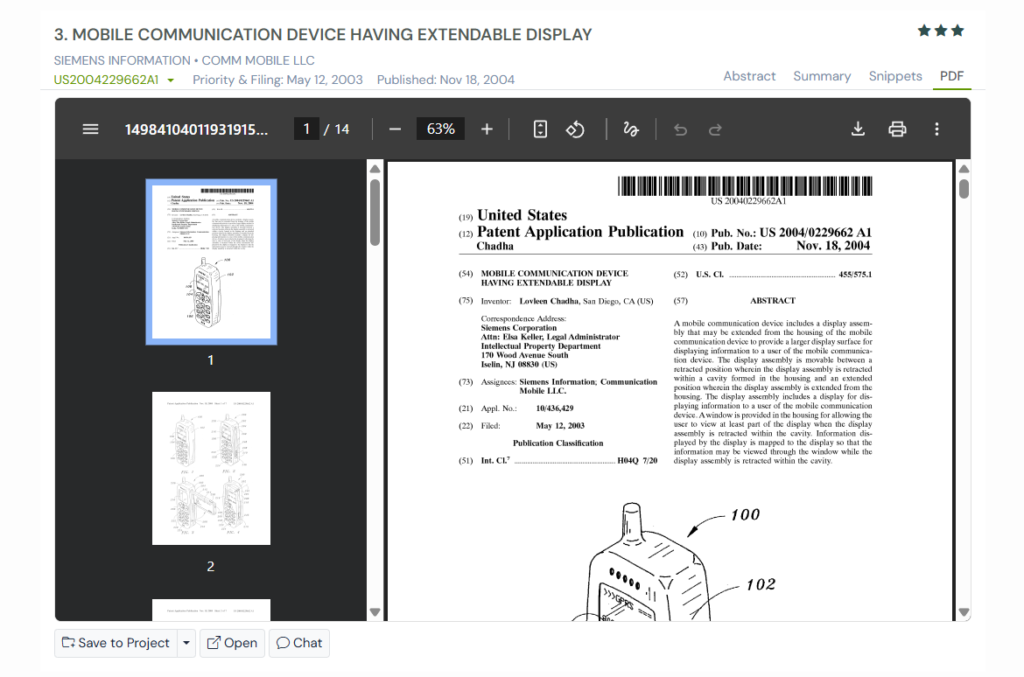
Instead of introducing two independent screens, this patent describes a single display assembly that stays hidden inside the device when not needed. When more space is required, the display physically extends out from the housing by pivoting, sliding, or a combination of both.
In its retracted state, only a portion of the display is visible through a window, showing basic information. In the extended state, the full display becomes available for more complex tasks.
The system focuses on adapting the amount of visible screen area based on what the user is doing, rather than managing multiple applications across multiple screens.
This kind of cross-screen coordination appears in other device ecosystems as well. Patents like US9965237B2 explore how actions taken on a handheld device can directly control and update content on a separate display in real time.
The Bigger Picture
This patent represents a different branch of multi-display evolution. Instead of coordinating two active displays, it concentrates on dynamically resizing a single display surface. That contrast helps explain why later designs, like US10620663B2, moved toward using multiple displays for parallel interaction rather than simply expanding one screen.
4. US2009017872A1
Many people glance at their phones without intending to fully use them. They check the time, skim a notification, or quickly look up a detail while the device is still closed. In those moments, opening the phone fully feels unnecessary, yet the small outer display rarely shows enough to be useful.
US2009017872A1, filed in 2007, is designed for exactly those quick interactions.
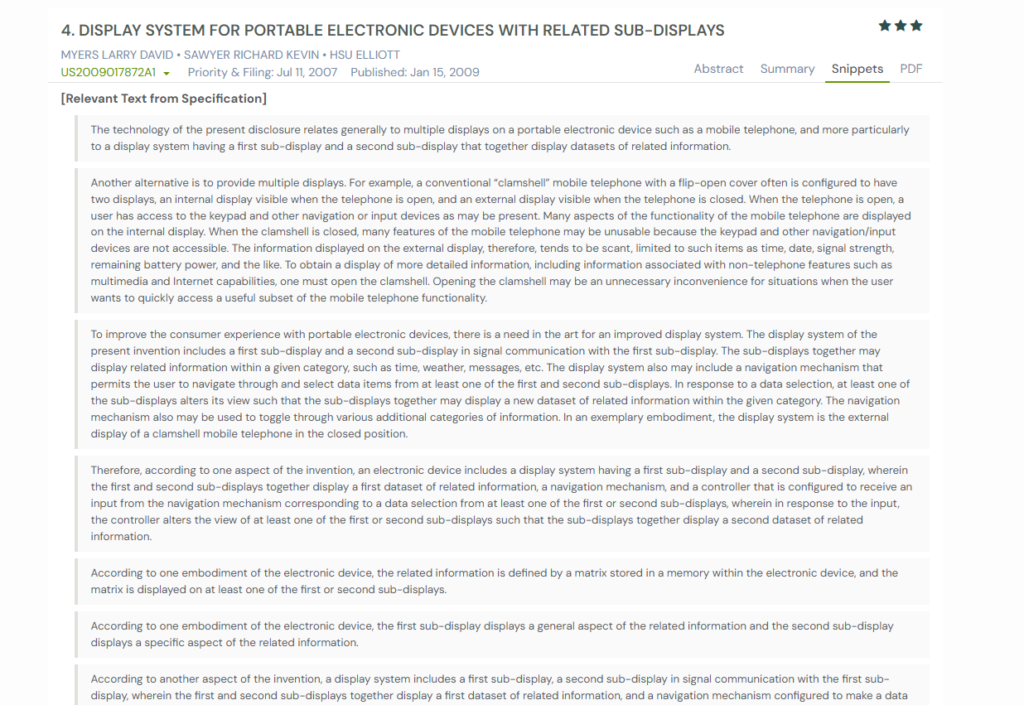
The patent describes an external display system made up of two linked sub-displays. Instead of showing random or static information, the two screens work as a pair. One shows a broad category, like weather or messages.
The other shows related details, such as forecasts, message lists, or map snippets. When the user navigates or selects an item, both sub-displays update together to present a new set of related information.
This allows meaningful interaction without opening the device or switching screens.
The Bigger Picture
This patent shifts attention to glance-level usability. It shows how multi-display systems began supporting fast, low-effort interactions. This idea later evolved into more advanced, context-aware dual-display designs like US10620663B2.
5. US6144358A
Before portable devices became powerful enough to rival desktops, screen size was the biggest limitation. Detailed views, long documents, keyboards, and complex layouts simply did not fit on a small handheld display. Shrinking the content made it harder to read and use.
US6144358A, filed by Lucent Technologies in 1997, tackled this by breaking a large screen into smaller pieces.
Instead of relying on a single display, the device uses two or more screens that work together when opened. Each screen shows a portion of the same image, and the system splits the visual content across them. When placed side by side, the displays behave like one large continuous screen. When closed, the extra displays fold away, making the device compact and easier to carry.
The focus here is not multitasking or secondary information. It is about recreating the feel of a much larger display only when the device is in active use.
The Bigger Picture
This patent represents one of the earliest attempts to overcome screen-size limits through modular displays.
It laid the groundwork for later designs that combined physical screen expansion with smarter software behavior, eventually influencing concepts where added display space is used more selectively and interactively.
How These Multi-Display Ideas Compare Side by Side
Each of these patents seeks to address a different limitation of small screens, but they take very different paths to do so. Some focus on mechanics, some on software coordination, and others on how information itself is presented. Looking at them together makes it easier to understand how thinking around multi-display devices gradually shifted toward more flexible and context-aware designs like US10620663B2.
| Patent Number | Core Approach | How Screen Space Is Expanded or Used | Main Focus Area | How It Relates to US10620663B2 |
| GB2390259A | Deployable second display | A hidden screen is mechanically deployed when needed | Hardware design and power efficiency | Early example of optional second screens that later evolved into more intelligent dual-display systems |
| US2007008239A1 | Synchronized displays | Primary and secondary screens show related views | Software-driven interaction flow | Introduces coordination logic that US10620663B2 builds on with physical screen deployment |
| US2004229662A1 | Extendable single display | One display physically expands to show more area | Dynamic screen sizing | Contrasts with US10620663B2 by resizing one screen instead of enabling parallel displays |
| US2009017872A1 | Linked sub-displays | Two small displays show paired datasets | Information structure and glance usability | Influences how related content is split across screens in later multi-display designs |
| US6144358A | Modular displays | Multiple screens combine to simulate one large screen | Large display simulation | Provides early foundation for using multiple displays as a unified workspace |
Using GPS to Understand Multi-Display Patent Evolution
When patents are read in isolation, it is easy to miss the bigger picture. Many ideas do not appear fully formed. They evolve through small changes, borrowed concepts, and repeated attempts to solve the same problem in different ways. Seeing that evolution clearly is often more valuable than reading any single patent on its own.
The Global Patent Search platform is designed for this kind of exploration. It helps connect related inventions, surface meaningful overlaps, and highlight where ideas genuinely move forward, without requiring hours of manual document review.

How to Use GPS for This Analysis:
- Enter the subject patent number, such as US10620663B2, into the GPS search bar.
- Use the sort by relevance option to bring the most closely related patents to the top.
- Review smart snippets to quickly understand what each patent focuses on without reading full documents.
- Compare how different inventions approach screen usage, interaction, and form factor.
- Open full specifications only for patents that show strong overlap or meaningful differences.
If you want a faster and more structured way to explore related patents, compare evolving ideas, and build clear technical context without digging through dozens of documents manually, try the Global Patent Search platform.
Frequently Asked Questions
1. Why do portable devices benefit from using more than one display?
Multiple displays allow devices to show related information at the same time instead of constantly replacing one screen with another. This helps users maintain context, reduces back-and-forth navigation, and makes multitasking easier without permanently increasing device size or complexity.
2. How do multi-display systems improve user interaction compared to single screens?
Multi-display systems separate information into meaningful views. One screen can show primary content while another presents details, controls, or supporting data. This reduces interruptions, keeps important information visible, and allows users to interact more naturally with complex tasks.
3. What is the difference between expandable displays and dual-display designs?
Expandable displays increase screen size by physically extending a single display. Dual-display designs use two separate screens that can work together at the same time. Expandable displays focus on viewing more content, while dual displays enable parallel interaction and better task separation.
4. Why is context awareness important in multi-display devices?
Context awareness allows a device to show relevant information automatically on the right screen at the right time. This reduces manual navigation, speeds up interaction, and ensures that additional displays add value instead of becoming distractions.
5. How do multi-display systems balance usability and portability?
Most multi-display designs keep extra screens hidden or inactive when not needed. This preserves a compact form for everyday use while still allowing more screen space or interaction options when tasks demand it.
Disclaimer: The information provided in this article is for informational purposes only and should not be considered legal advice. The related patent references mentioned are preliminary results from the Global Patent Search tool and do not guarantee legal significance. For a comprehensive related patent analysis, we recommend conducting a detailed search using GPS or consulting a patent attorney.